

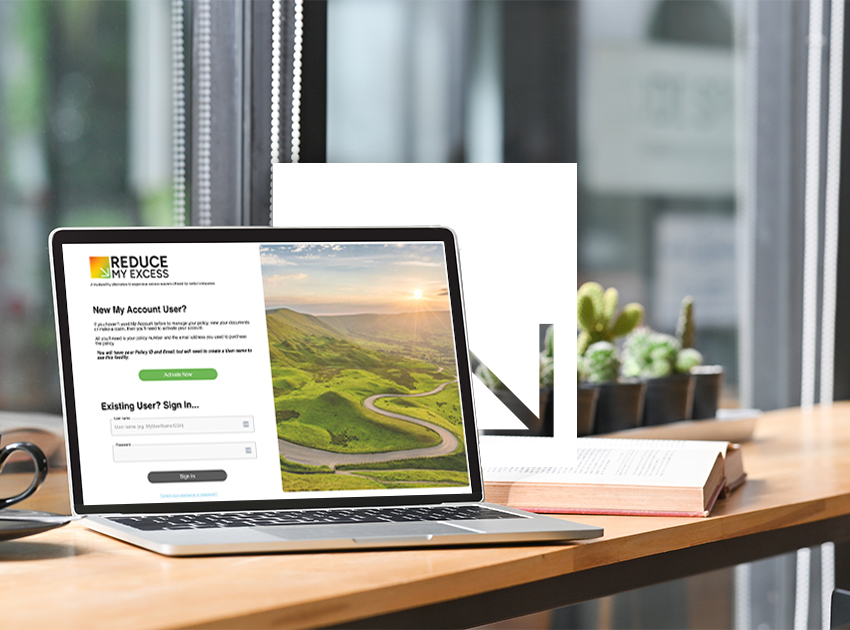
Our new self-serve portal MyAccount means you’re now able to check your policy details without waiting for office hours. MyAccount allows you to manage your ReduceMyExcess car hire excess insurance policy at time that suits you, without needing to contact our team. It’s available 24/7 so if you wherever you are, at home or mid-trip, you can keep track of your cover.
What You Can Do in MyAccount
Once you’ve logged in, managing your policy is a lot quicker and easier. From the portal, you can:
MyAccount is the easiest way to stay organised and check any details and avoids you needing to dig through your emails when you need information fast.
Setting Up Your MyAccount
Registering for MyAccount only takes a few minutes. To get started, you’ll need your policy number. This is included in the policy documents we emailed to you when you purchased your cover. It will look something like RME-1234567-1 or CHA1234567.
After you enter your policy number, you’ll be guided through a short setup process:
1. Add your email address
2. Create a username
3. Validate your username to make sure it’s available
4. Submit your details
Then, you’ll receive a confirmation email. Click the link inside it to finish setting up your account and you’ll be able to start managing your policy online straight away.
More Features on the Way
The ReduceMyExcess team is continuing to develop MyAccount so it can do even more for you. Upcoming features will allow you to:
Our goal is to keep everything in one place so you don’t need to switch between emails, forms, phone calls or wait for us to get back to you.
Already Have MyAccount?
Being set up on MyAccount is excellent – it means you can make changes quickly whenever you need to do. If you haven’t logged in for a while, it’s worth taking a look so you’re familiar with where everything is.
And if you ever forget your login details, don’t worry. You can recover your username or reset your password easily using the links on the login page.

Comments are closed